A bit about the new OneFile
Easily create a 'OneFile' from existing claim documents
The customisable online filing system has easy drag and drop file organisation and you can edit file details, add notes, and categorise files.
Get clearer information targeted to you
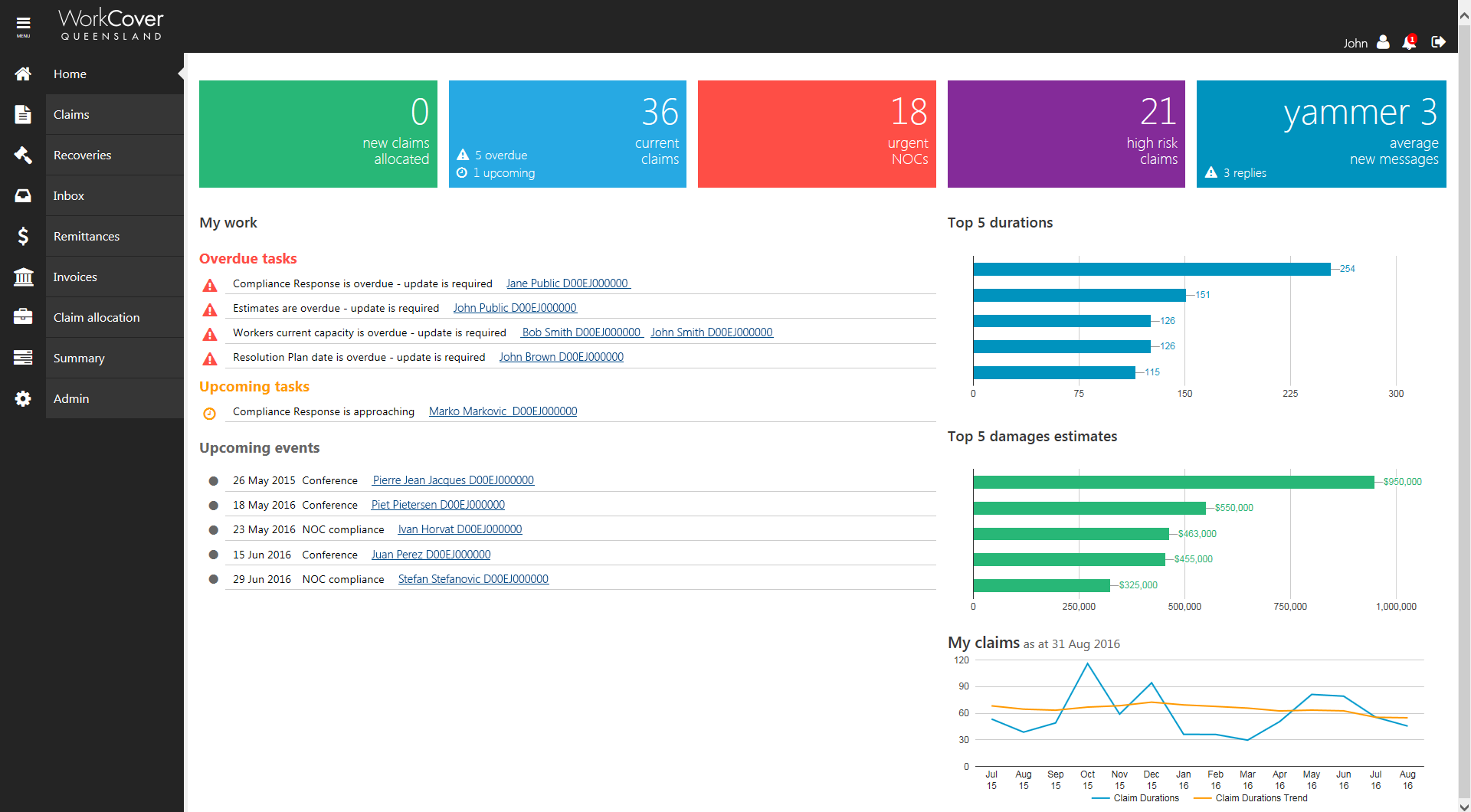
The new 'home' provides clarity on where your claims are at and gives a snapshot of key information so you can see at a glance how claims are tracking.
Better manage upcoming work
Tasks and alerts help you track your claims, with alerts for new claims and tasks for upcoming and outstanding document updates. You can also add your own tasks and get calendar reminders.
Find what you're looking for faster
Search OneFile and communication on the claim easily with new 'in document' search.
Let's get started
We've put together the below 'information pack' to help you.
| 1 | Initial visit | A quick visit to your firm to 'turn on' the new system for you. |
|---|---|---|
| 2 | Video help guides | Homepage intro video | How to create and manage a OneFile | Tasks and alerts video |
| 3 | Send us any feedback | Then it's sort of business as usual, we want you to use the system and take down what you find easy to do and any troubles you have. |
| 4 | Talk with us anytime | Your relationship manager will check in with you and will be ready to answer any questions you may have (or tee up our solutions team to help out) |
How to login to OneFile
We will 'turn on' the new system for your firm when we do our initial visit.
Then it's as easy as just logging in like you normally do (with the same details), either using our online services login or the login from the homepage of the website.
If you've forgotten these, you can reset your password or call your WorkCover contact. You'll know you are in the new system because it will look a bit like this: